Google Play Store PC
Gives you access to any type of Apk Android App on your Windows PC.

Safe & Secure
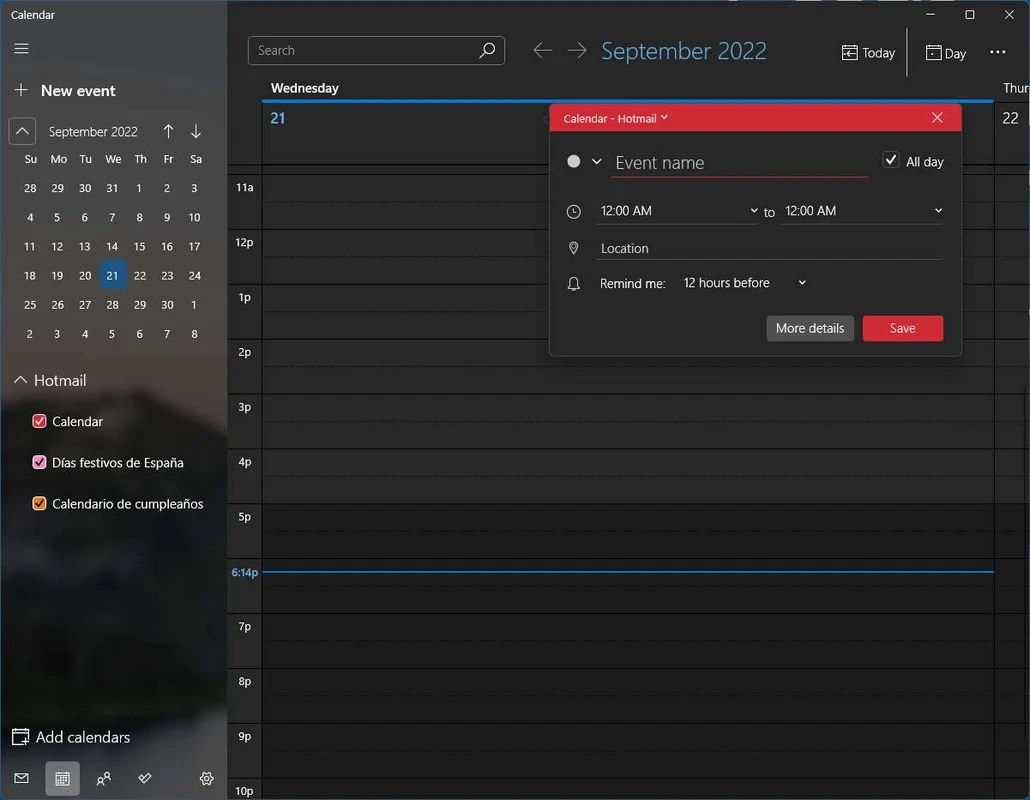


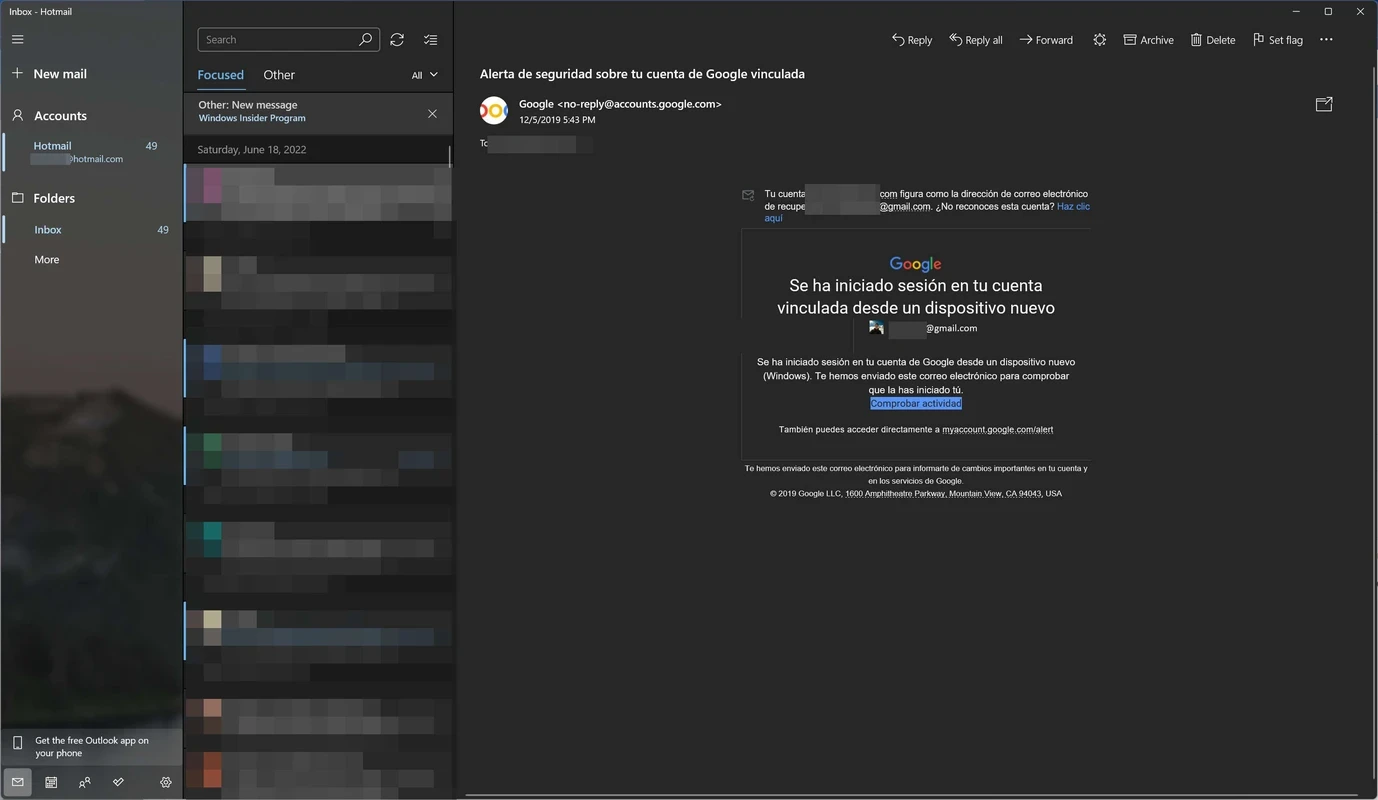
Windows Mail and Calendar is a comprehensive official Microsoft application, allowing users to access their email and calendar right from their Windows operating system. The innovative native app allows users to reliably manage two important features in their day-to-day life, along with seamless synchronization of multiple email and calendar accounts in a single place.
The app while working as a multi-functional tool enables users to stay connected with their email correspondence such as monitoring and organizing them. It also helps to stay in touch with others, scheduling events and appointments.
Windows Mail and Calendar is the official email client, developed and offered by the giant Microsoft for Windows operating system. It was released in 2005 as Windows Mail for Windows Vista, and proved a stunning app, as it offered multiple advanced features, including junk email filtering, email attachment blocking, and so on.
In 2024, Microsoft announced to stop supporting Windows Mail and Calendar apps as built-in functionality, advising Windows users to use Microsoft Outlook to manage their email and calendar functions.
The user interface, similar to any best desktop email client, offers a minimal and uncluttered design, making it simple and quickly navigated, even for users with less technical skill. The settings menu and all features are easily personalized to allow users make changes according to their preferences. You can easily access the inbox to check unread mails, reply, and even forward them to other email addresses. You can create an Archive email section for storing important emails, leaving the inbox unclutter.
Similar to other email apps, here you will also find a very simple email composing process. You need only to click the “New Mail” button, and you are prompted to the composition panel. Simply type your message, and click the “Send” option. You can send the email exclusively, or to multiple email addresses simultaneously.
After you launch the app, you are capable of adding email addresses and also sync multiple email services, including Hotmail, Live, Gmail, Exchange, Outlook, Office 365, Yahoo, and so on. After adding the email accounts, your calendar items are also synced automatically. You can also use the Message Access Protocol (IMAP) or Post Office Protocol (POP) for the purpose.
The Calendar section offers a comprehensive view of events scheduled for the current month. It also enables to schedule the viewing of events in different scenarios, including by month, by groups between 1-6 days, or by hours. It makes it possible to view the scheduled events in detail after every hour. You need only to specify the date, location, and notifications within addition of any new event. It is the best integrated email and calendar management tool on the Windows operating system.
It is one of the core features, enabling users to avoid suspicious emails. The innovative technique correlates specific words for both spam emails and non-spam emails. After the word correlation, it applies a mathematical formula for calculating the probability of an email being spam or not. In case of receiving a spam email can easily be transferred to “Spam folder” automatically, and from where it will delete after permanent deletion time. The deleting time period is only to ensure if a valid mail isn’t sent to the spam folder as suspicious, because spam filters aren’t perfect.
Along with typing the message, you are capable of attaching your important files such as photos, videos, and even PDF documents with your emails. However, it has limited attachment file size, so you can send up to 25MB in size with file within complete encryption and security. However, you can circumvent this limit loading your files to an external cloud storage service such as Dropbox, OneDrive, and so on. You need only to link the cloud service on the message panel for easy sharing.
In addition to document attachments, users are allowed to enhance the power of their message, inserting tables, pictures, or emojis. You can also use your mouse as a drawing pencil for creating diagrams, adding a virtual drawing canvas. It is an interesting feature, as it isn't available with other typical email clients.
It is another significant feature to enable users use for each of their email accounts. These are in fact text and works like signing a letter, displaying at the end of the email you have sent. It enhances professional look similar in corporate settings. Moreover, you can enable notifications for each account and easily get an automatic alert for every new email without switching to inbox.
Pros
Cons

Gives you access to any type of Apk Android App on your Windows PC.

PC App Store download, install, and keeps up-to-date your PC programs

free emulator to play Android apps on your pc with extra performance, reliability

Bijoy Bayanno the most powerful software to write Bengali language on PC

Media Creation Tool is upgrading and installing Windows 10 bootable installed disks.

Rufus easily change your USB Flash to a bootable ISO flash drives.